Example:
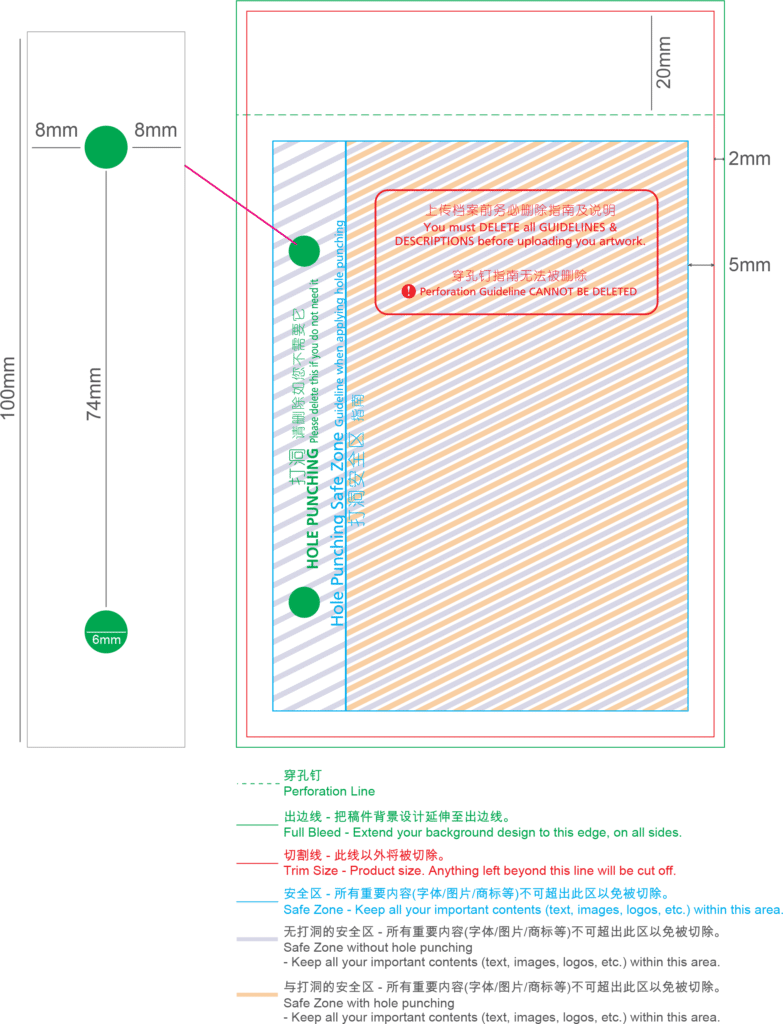
– Order size : 210mm x 297mm
– Bleeding size : 214mm x 301mm
IMPORTANT
Expand your background design to the edge of Full Bleed.
Your vital elements of artwork shall be within the Safe Zone (7mm away from) all side of Full Bleed edge.
Delete any unneeded elements provided in the template (e.g. Delete the numbering if it not required).
Hole punching can ONLY be applied on the LEFT, for documents with a length of 100mm and above.
NUMBERING
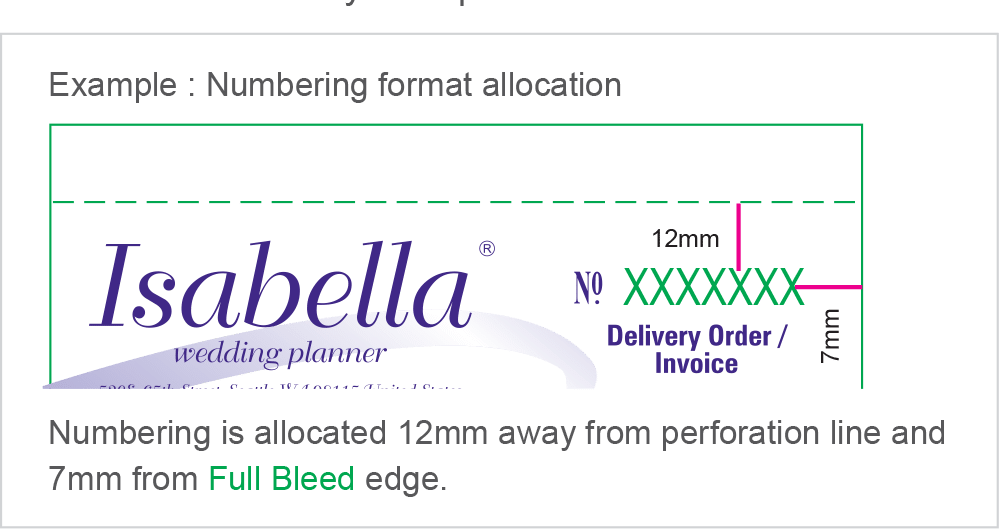
Mark your numbering area by using the numbering format given in the Product Size Templates.
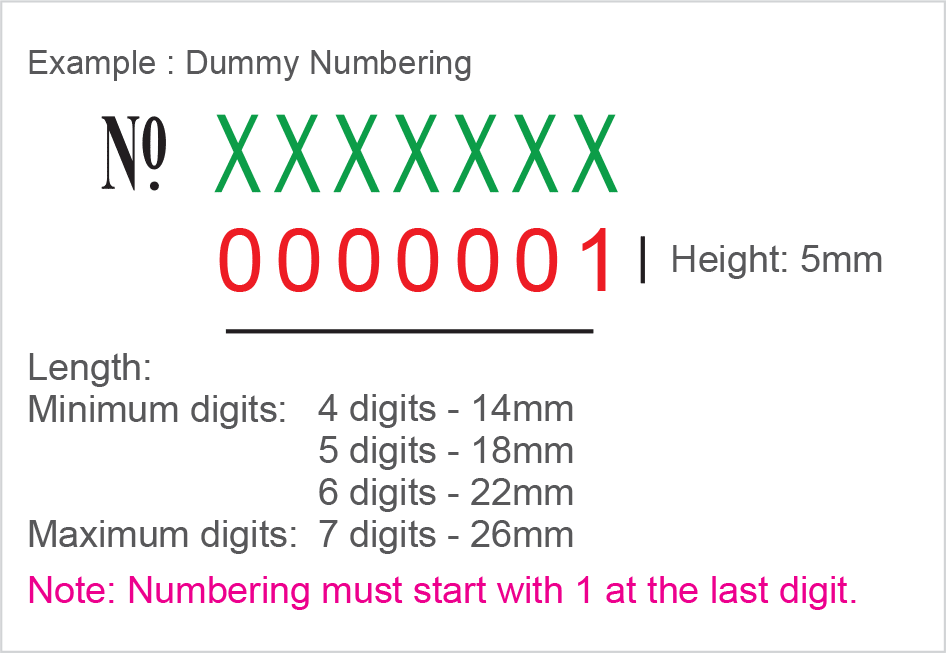
Numbering will be printed in RED colour.
You will only have to key-in the actual numbering during the ordering process. The last digit must always begin with 1.
Examples : 00001 00101 00501 03001
To indicate numbering in your artwork. Please use the dummy numbering provided in the product size template.
IMPORTANT! Numbering and copy change cannot do in JPEG
If you require less than the default 7 digits (represented by Xs in green), please DELETE the excess Xs accordingly.
Examples : 0001 – XXXX 00101 – XXXXX 000001 – XXXXXX
Ensure your numbering format is: – within Safe Zone – at least 7mm away from Full Bleed edge – at least 12mm away from perforation line
DELETE entire numbering format if you do not require it.
COPY CHANGE
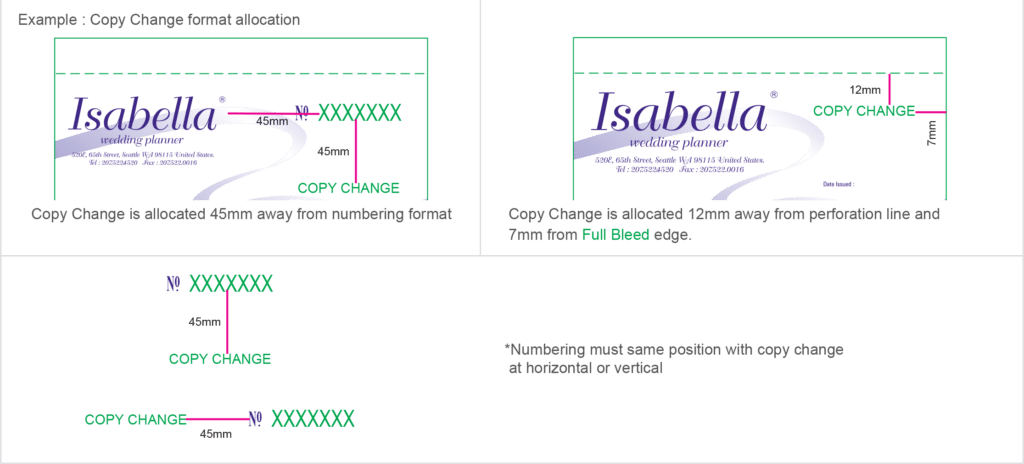
Mark your copy change area by using the copy change format given in the Product Size Templates.
You will only have to key-in the actual text accordingly to each layer during the ordering process.
Make sure your copy change format is: – at least 12mm away from perforation line – at least 7mm away from Full Bleed edge – at least 45mm away from the numbering
All copy change text will be in:
Note: If English and Chinese fonts are used together, the maximum letter quantity will follow the figures stated for Chinese.
DELETE entire copy change format if you do not require it.
Common Issue for Bill book:
Wrong color separation
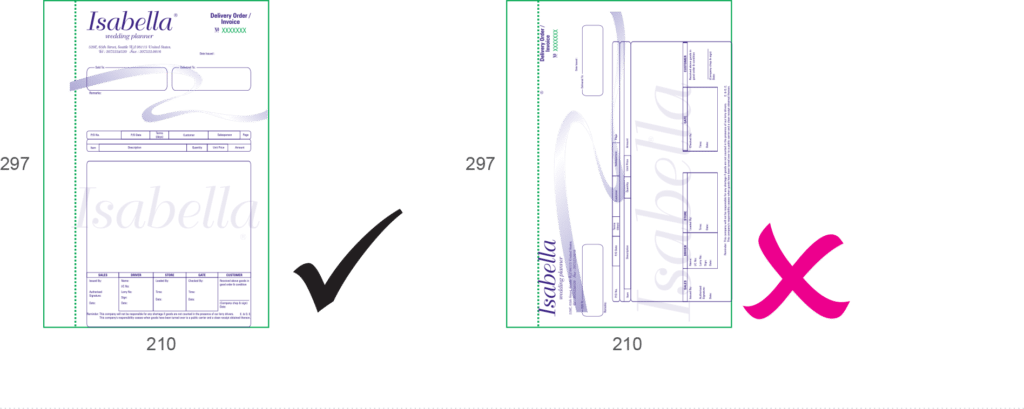
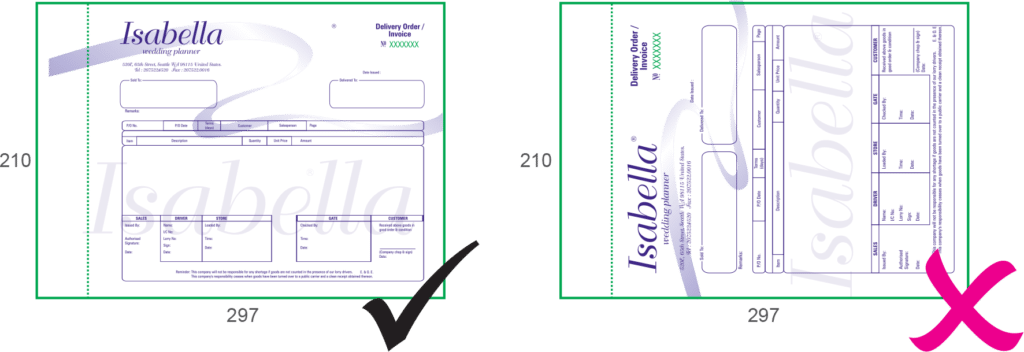
Wrong orientation – Order landscape, but artwork give potrait – Order potrait, but artwork give landscape
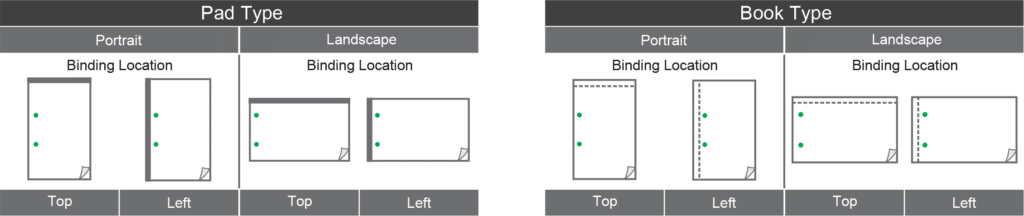
Wrong finishing – Order book type, but artwork give padding type – Order padding type, but artwork give book type
Wrong stitching or padding area – Order stitching/padding area at LEFT side, but artwork give at TOP side – Order stitching/padding area at TOP side, but artwork give at LEFT side
Numbering and copy change position
Order numbering, but artwork not prepare numbering remark
Order copy change, but artwork not prepare copy change remark
ARTWORK ORIENTATION
All artworks MUST be positioned upright. Example Book Format : Portrait Size : 210mm x 297mm Binding Location : Left
Example Book Format : Landscape Size : 210mm x 297mm Binding Location : Left
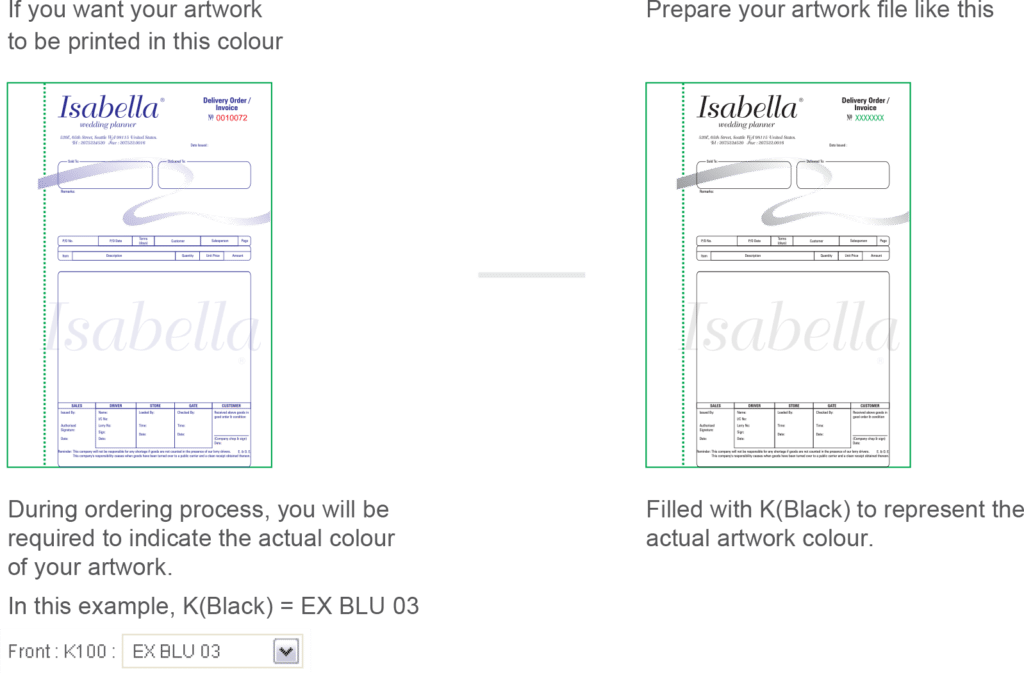
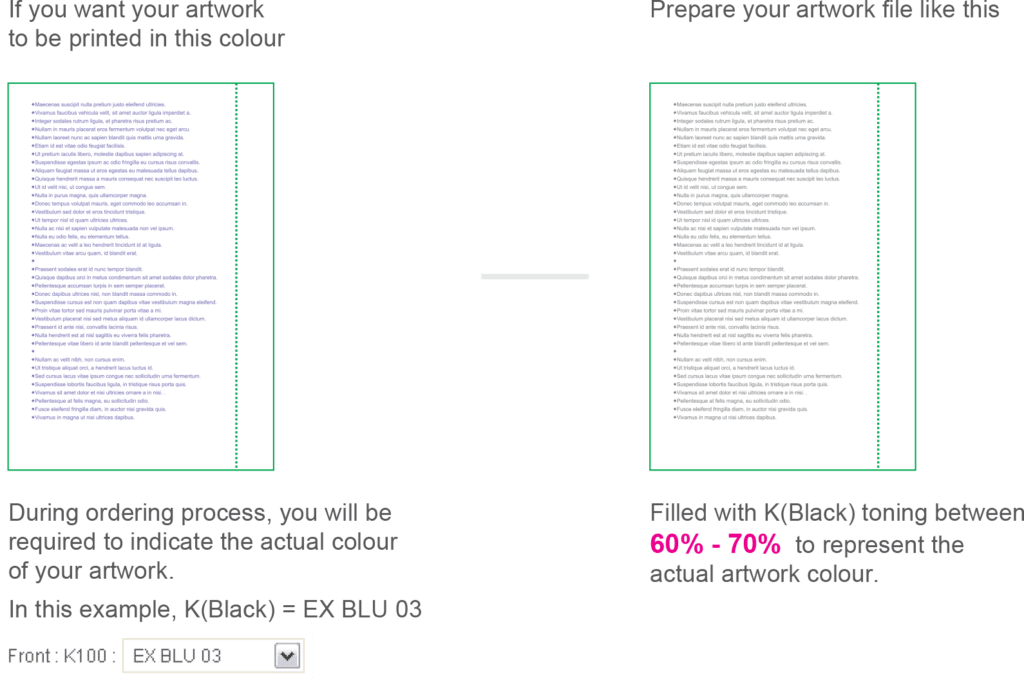
How to prepare your artwork when applying Spot Colour (Front Artwork).
1 SPOT COLOUR
2 SPOT COLOUR
How to prepare your artwork when applying Spot Colour (Back Artwork).
1 SPOT COLOUR
IMPORTANT!
Only 1 spot colour can be applied for Back Artwork.
You MUST use spot colour toning between 60% – 70% for back printing.