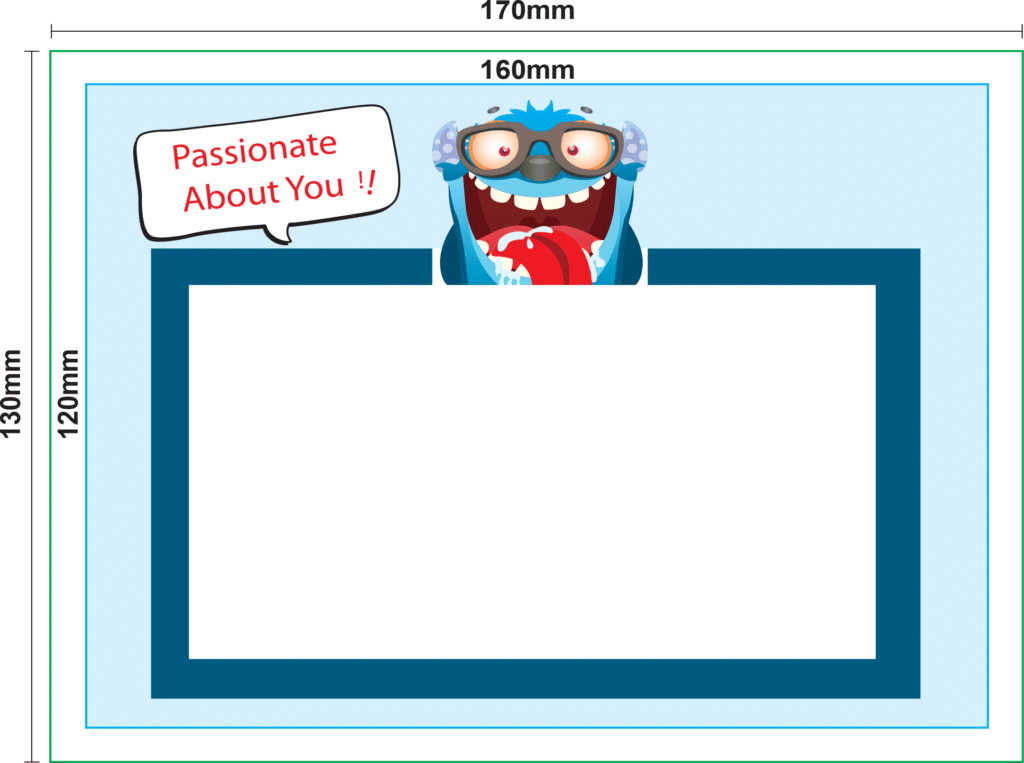
Actual Size : 130 mm x 170mm Safe Zone / Printable Area : 120mm x 160mm
SUBMIT ARTWORK FOR STATIC CLING WINDOW STICKER FILE
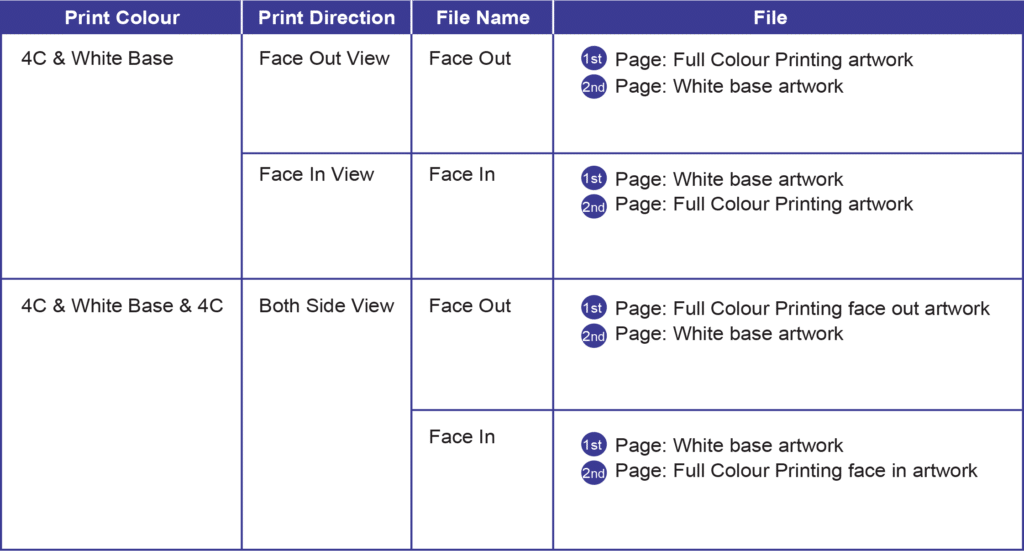
Please always refer to table below for page arrangement before submit your artwork.
NOTES:
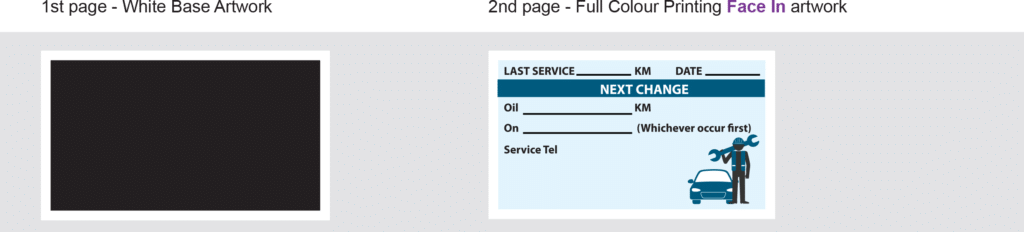
4C & White Base (Face Out/Face In) require to submit 1 PDF file with 2 pages.
4C & White Base & 4C require to submit : 1 PDF file with 2 pages for Face Out. : 1 PDF file with 2 pages for Face In.
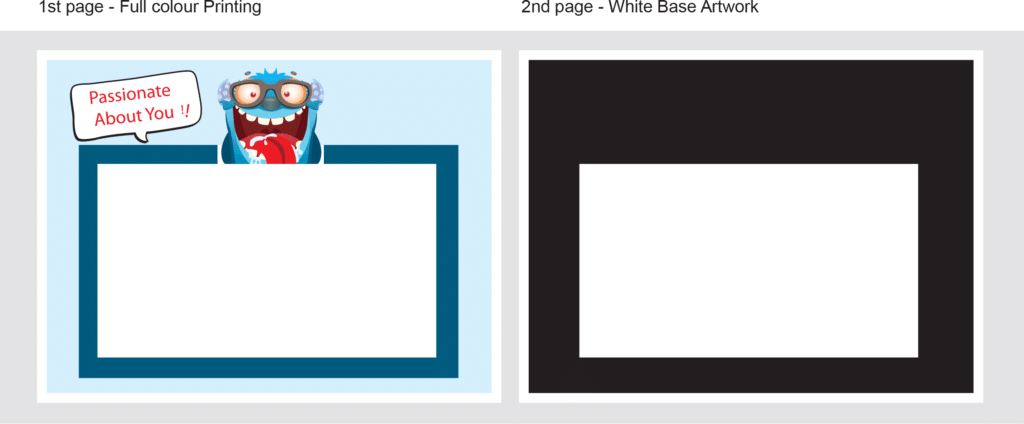
Example:
FACE OUT VIEW
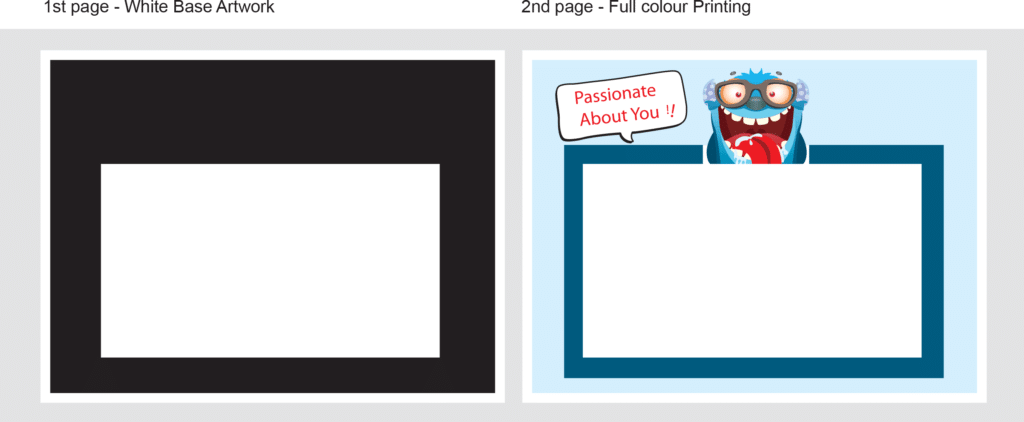
FACE IN VIEW
Please prepare in opposite sequence – White Base Artwork followed by Full colour Printing.
BOTH SIDE VIEW
1st PDF
2nd PDF
IMPORTANT NOTES IN PREPARING WHITE BASE ARTWORK
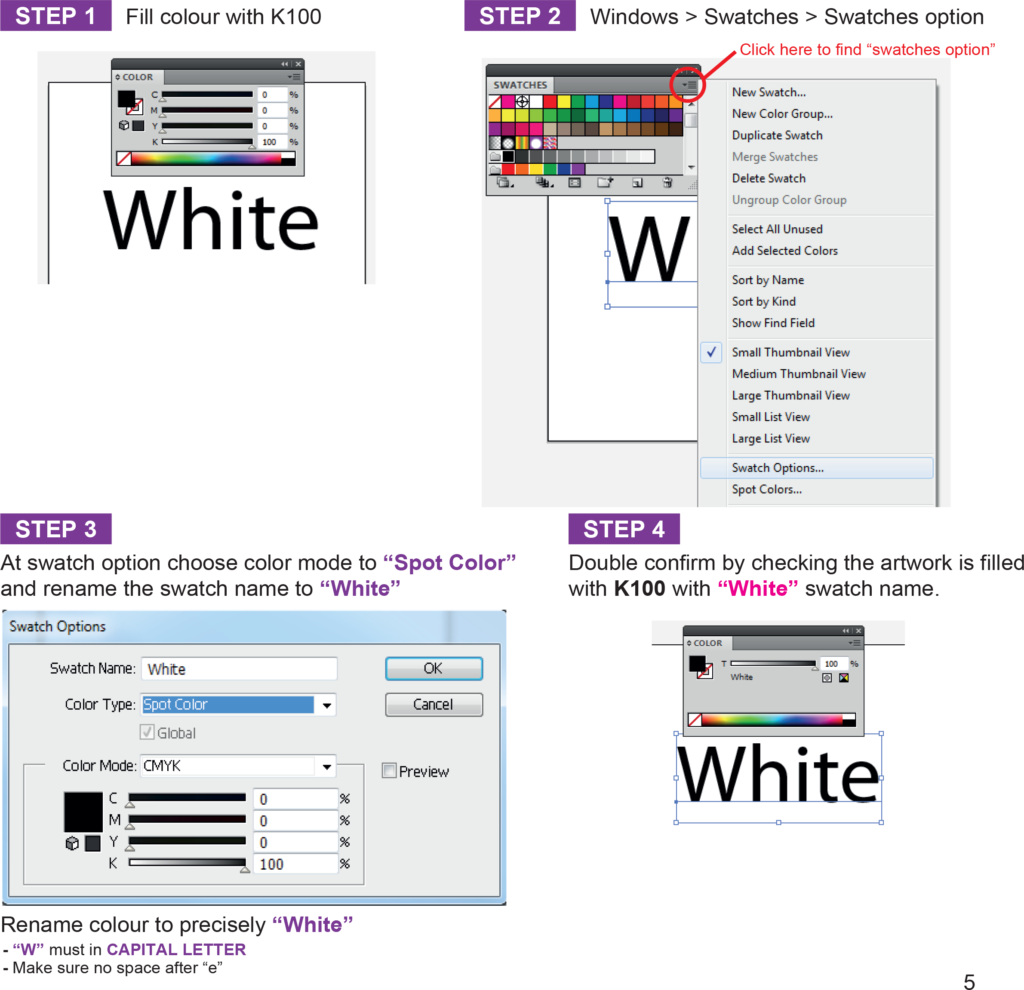
Fill the artwork with black (K100) to indicate the area for white base.
Rename colour to precisely “White” to indicate the area of white base instead “WHITE” or “white” *Expressprint will not held responsibility on any wrong white spot colour naming error. (eg. “WHITE” or “white” or White(space) )
Only use Adobe Illustrator to prepare the white base artwork.
JPEG file format or JPEG save in PDF format is not allowed while prepare white based artwork.
White based artwork must prepare in VECTOR Rename the color swatch name by using Adobe Illustrator
IMPORTANT NOTES IN PREPARING ARTWORK FILE:
-For Face out View & Both Side View, we’ll help you to reflect your face out artwork which is 1st page & 2nd page for white base for printing.
FILE FORMAT
-Only Adobe Acrobat Document (*.pdf) is acceptable. -File Size & Resolution -File resolution at 100% : 300dpi -File size at 100% : below 5MB / file
ARTWORK DESIGN
-All images have been exported / converted : background, design effects, photos, images to TIFF files (not including text / vector images) -Tiff File Resolution : 300 dpi -Color Mode : Process CMYK mode *ink converage not suggested to exist 240% to avoid transparency issue
LINE WEIGHT
-No lines of less than ≥0.25pts. are used -Color : CMYK mode
FONTS
-Curve / Path / Create outline all fonts
MARKING & TRAPPING
-Never apply any crop mark or trapping onto the files.