Enjoy FREE shipping to Peninsular Malaysia
Balance:   RM0.00

Total: RM0.00

Total: RM0.00

Artwork contains pantone / RGB colour mode

Artwork contains pantone / RGB colour mode

If your artwork contains Pantone and/or RGB colour, it is recommended that you convert it to CMYK colour mode for accurate print result.

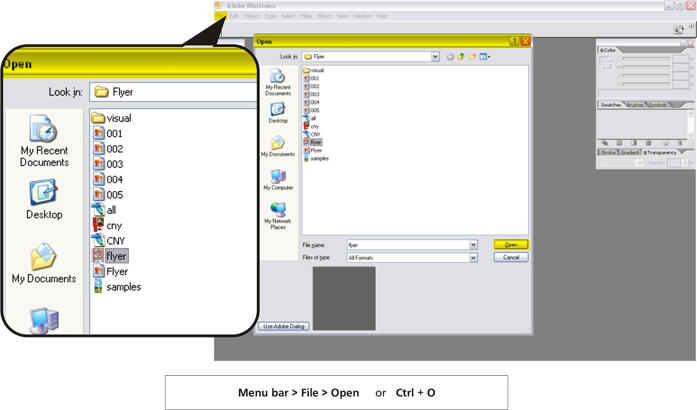
Tutorial for Adobe Illustrator
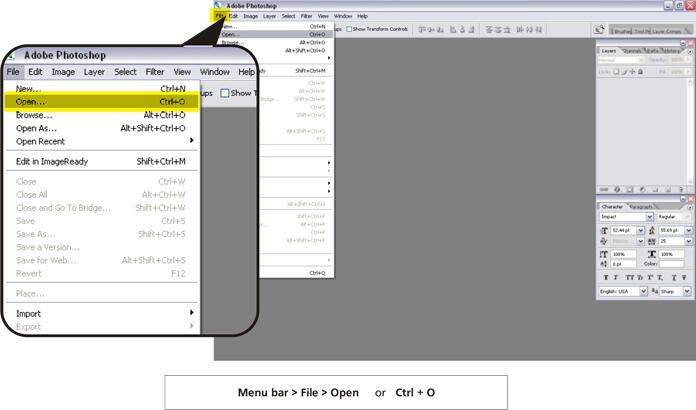
Tutorial for Adobe Photoshop

Software Illustrator

Step 01 – Open the file

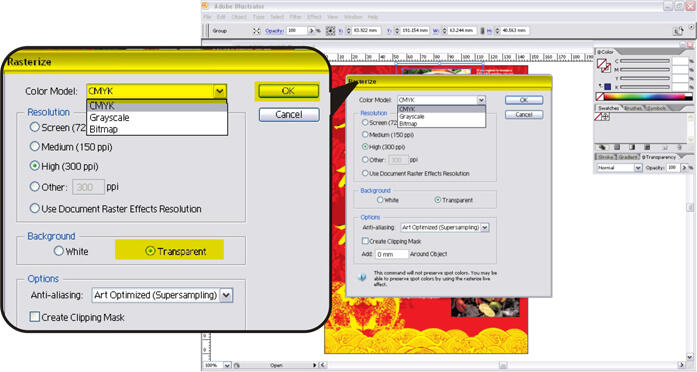
Step 02 – Select the RGB image and Rasterize it to CMYK colour mode

Step 03 – Change RGB to CMYK colour mode and Background choice Transparent than click OK
 

Software Photoshop

Step 01 – Open the image

Step 02 – Change the colour mode from RGB to CMYK
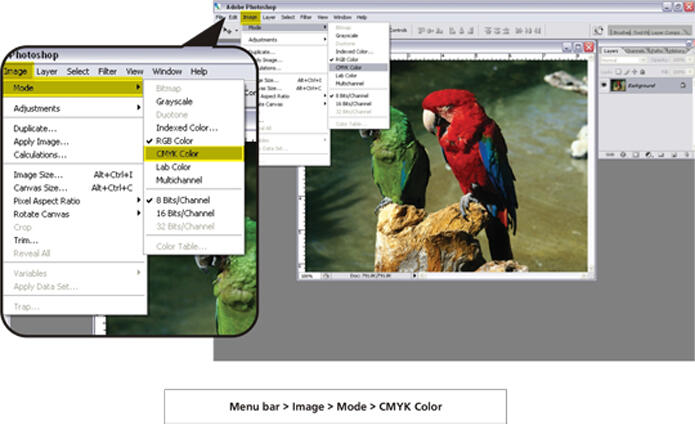
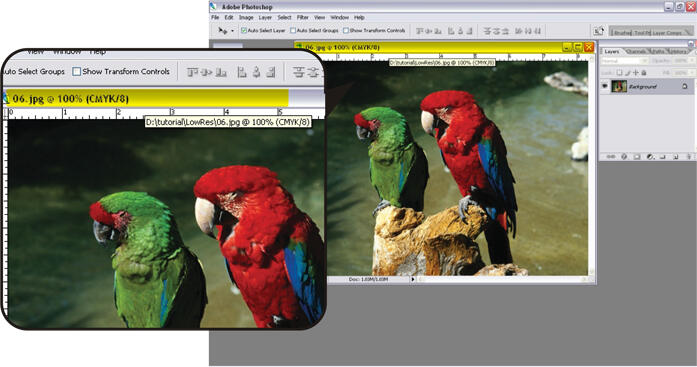
Step 03 – Check the Colour Mode
Step 04 – Save your image

Step 05 – When save the image you must check the ICC Profile


© 2024 Expressprint All rights reserved.

How we count production days

1
Order cutoff — place your order before 3pm on a working day to start production that same day.
2
Working days only — we count Monday to Friday. Weekends are excluded.
3
Public holidays — Malaysian public holidays are excluded from the production count.
4
Delivery — allow up to 3 working days for courier delivery after printing is complete.
Example: order before 3pm on Monday = print ready by Thursday (2-day job).