Earn 2% Cashback + Free Delivery
Total: RM0.00
Tutorial for Adobe Illustrator | Tutorial for Adobe Photoshop
Step 01 – Fill in 100K (Black as Colour 1) and 100M (Magenta as Colour 2)
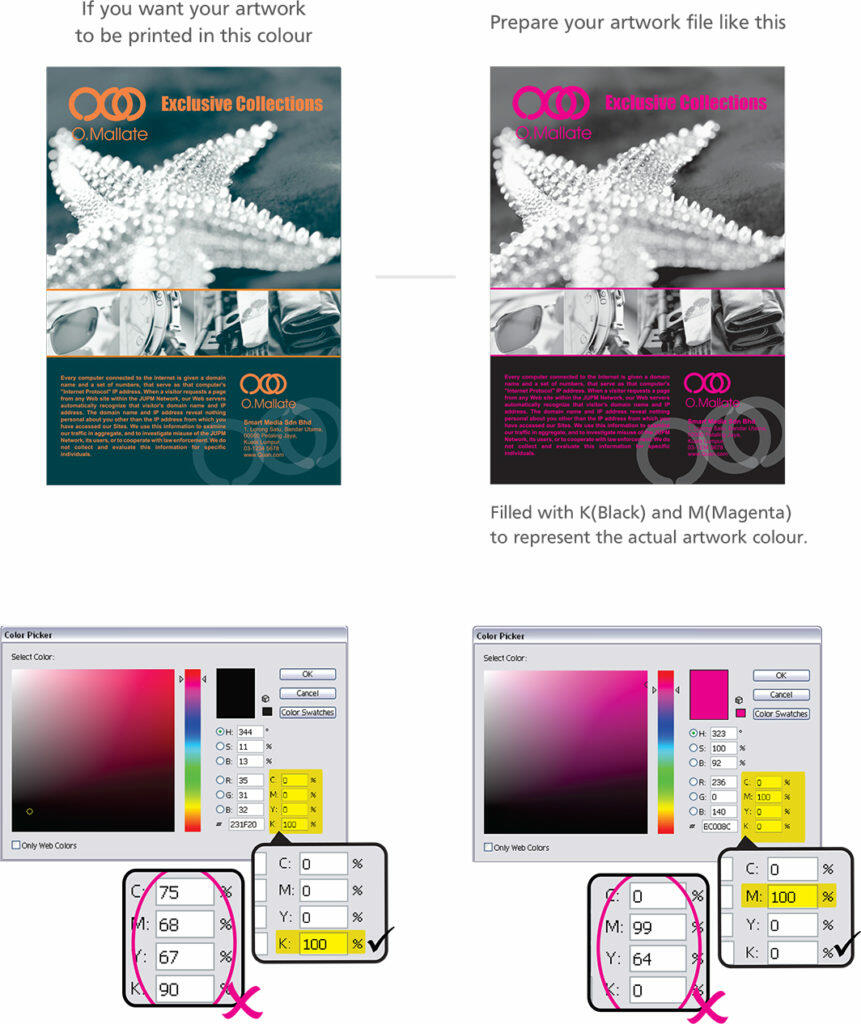
Step 02 – Choose the Spot Colour During Ordering Process. During ordering process, you will be required to indicate the actual colour of your artwork. In this example, Colour 1 = EX BLU 03 and Colour 2= EX ORG 01.
Step 01 – Fill in 100K (Black as Colour 1) and 100M (Magenta as Colour 2)
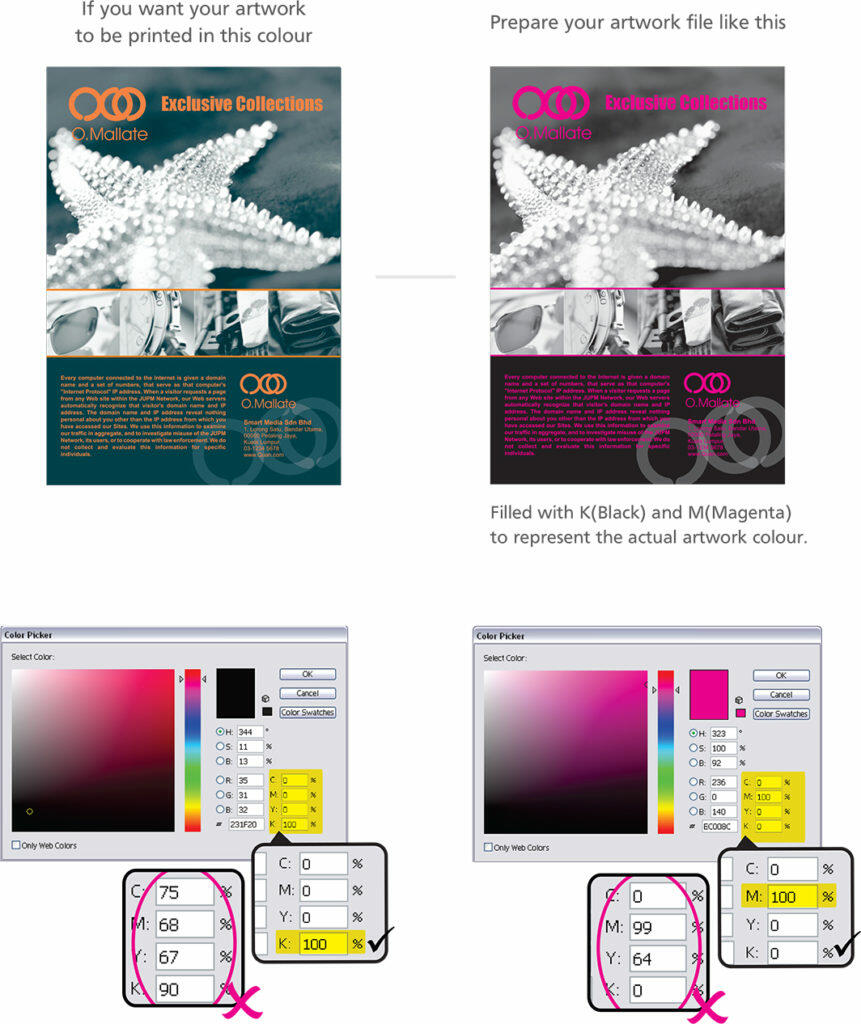
Step 02 – Choose the Spot Colour During Ordering Process. During ordering process, you will be required to indicate the actual colour of your artwork. In this example, Colour 1 = EX BLU 03 and Colour 2= EX ORG 01.