Your cart is currently empty!

Earn 2% Cashback + Free Delivery
Total: RM0.00
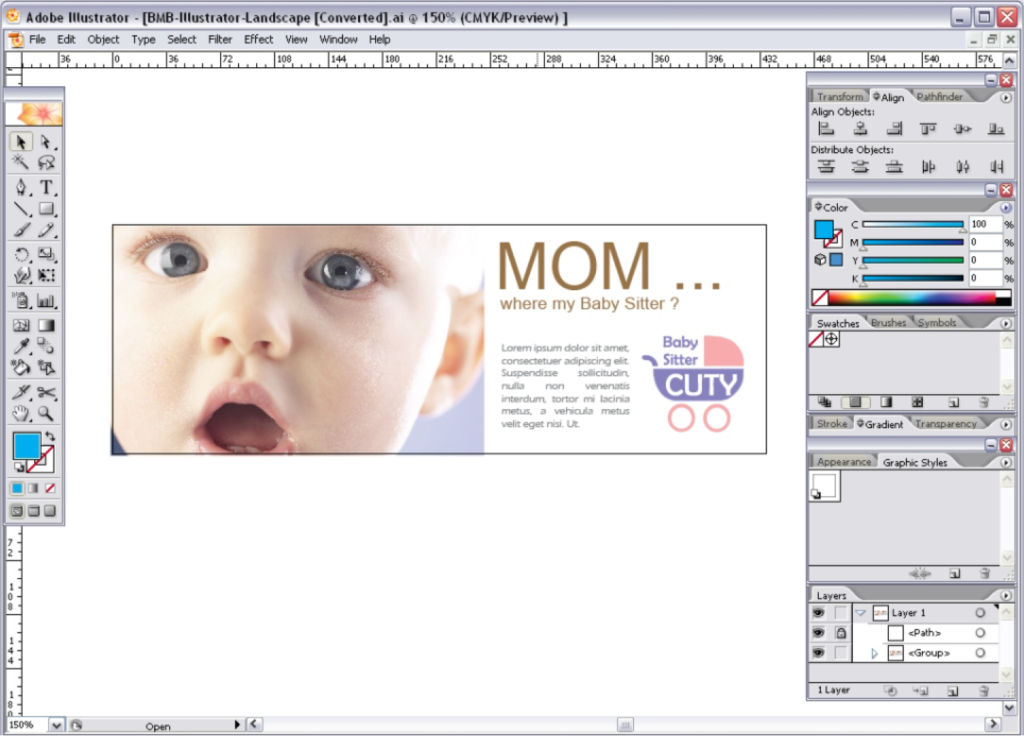
Tutorial for Adobe Illustrator
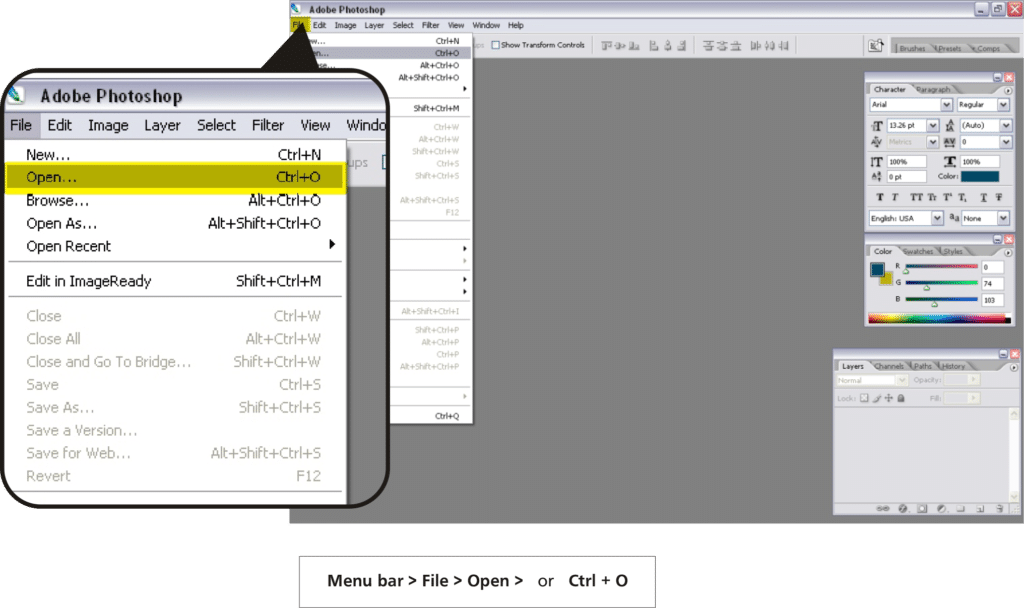
Tutorial for Adobe Photoshop
Step 01 – Open Product Size Template (Use ‘Open’ to open our product size templates not ‘Place’) 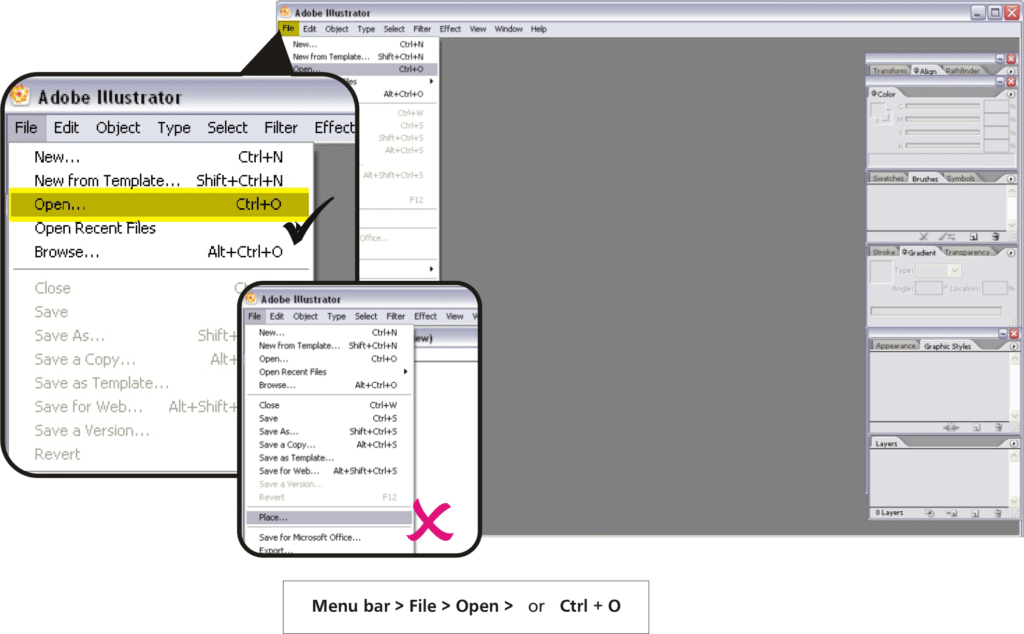
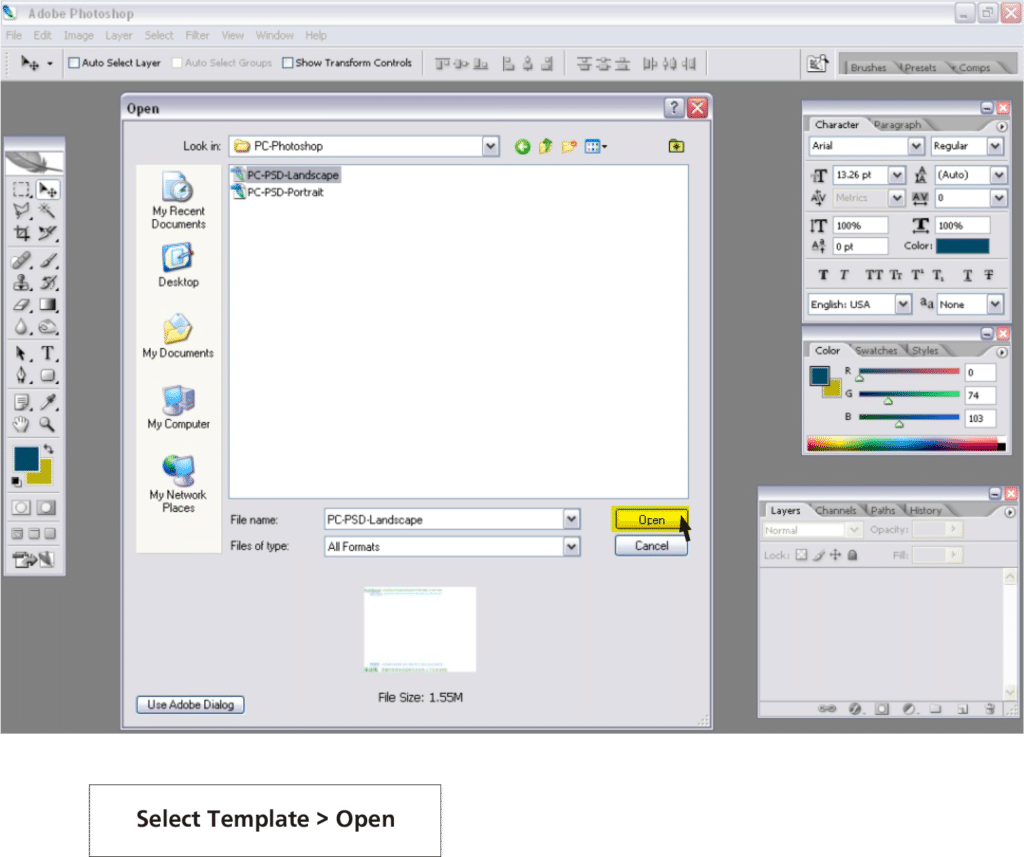
Step 02 – Select Product Size Template
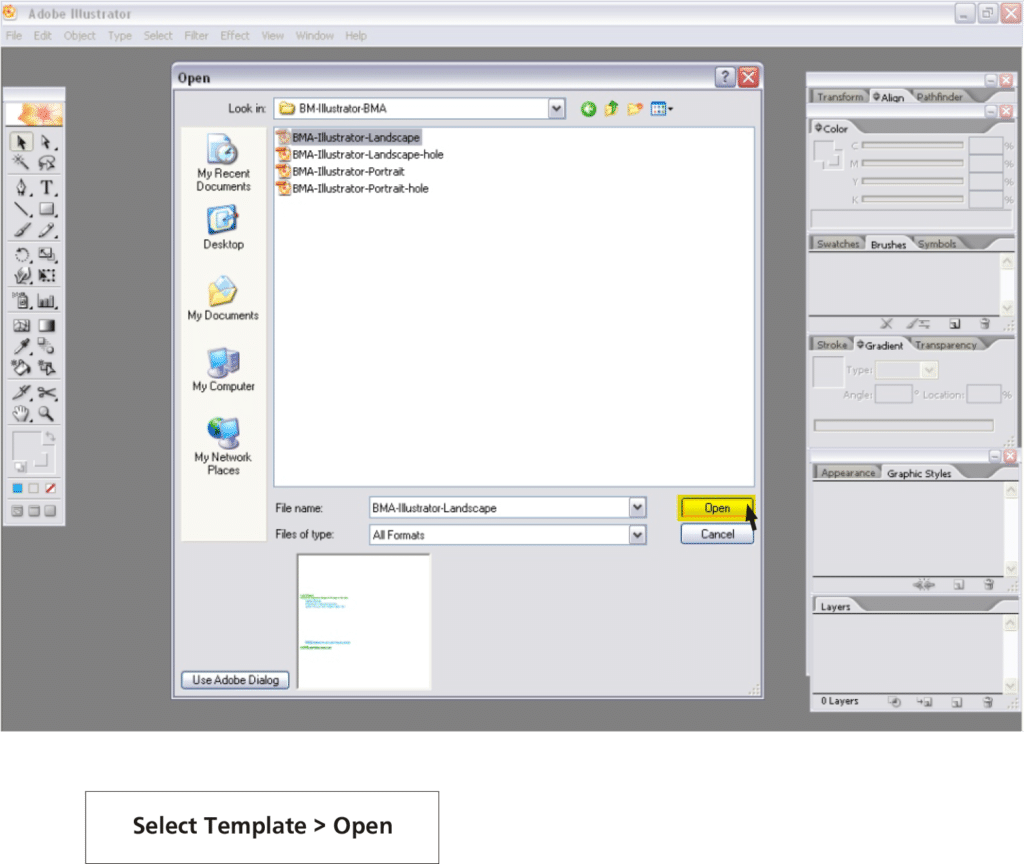
Step 03 – Adjust your artwork design according to our guidelines 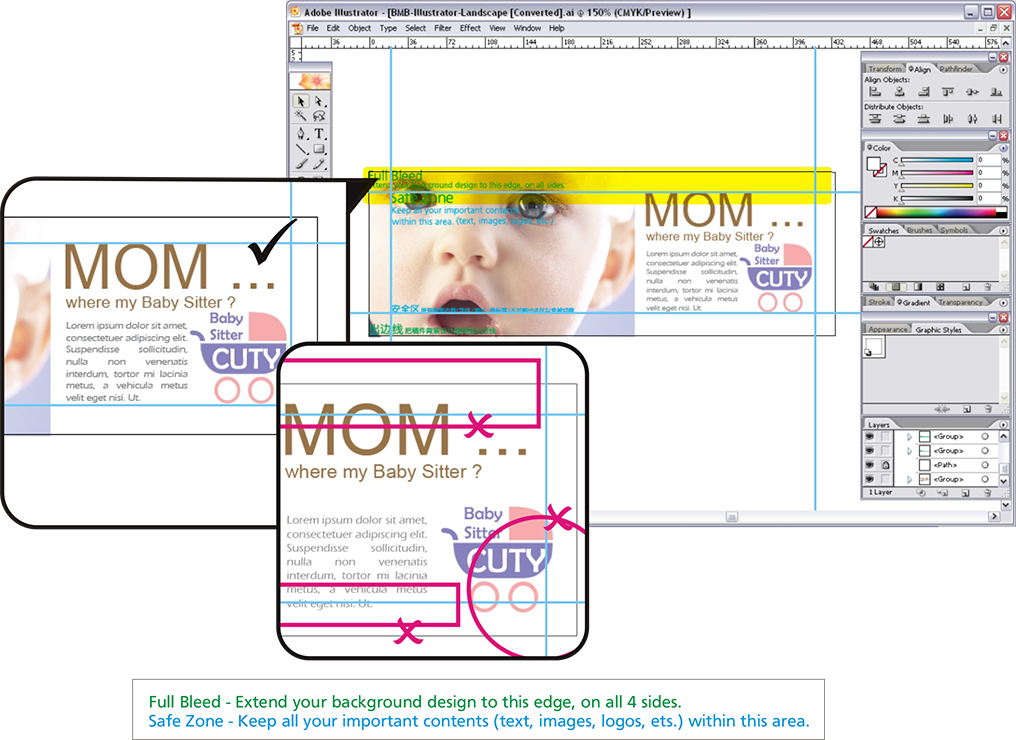
Step 04 – Delete all the guidelines before uploading your file
Step 01 – Open Product Size Template (Use ‘Open’ to open our product size templates not ‘Import’)
Step 02 – Select Product Size Template
Step 03 – Adjust your artwork design according to our guidelines 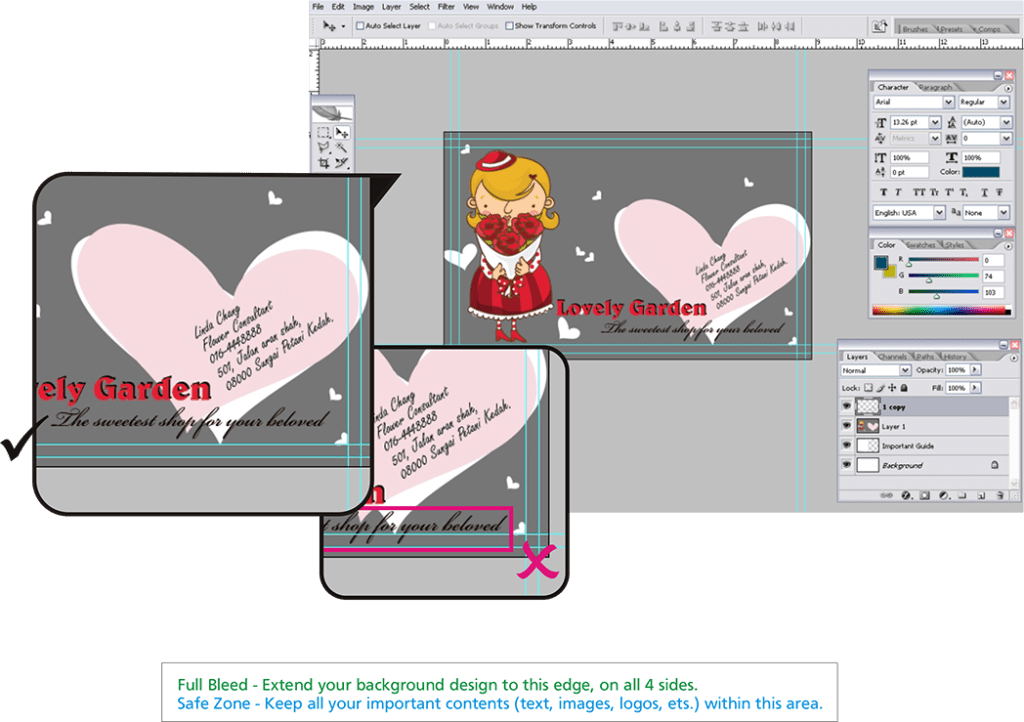
Step 04 – Delete all the guidelines before uploading your file